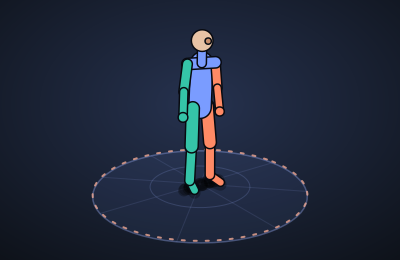
3D Workout
Goal
See how a calisthenics exercise is actually done, from any angle, and string several of them into a workout. Each exercise is a 3D model repeating one clean rep in a loop. You can grab the model and turn it to look at the push-up from the side, the squat from behind, or the pull-up from above.
How it works
- Watch. Pick an exercise from the library and a simple 3D figure does it in a loop, with a few form cues underneath. Slow it down to half speed, switch to a skeleton view, or let it spin by itself.
- Rotate. Press and drag with a mouse, or touch and drag with a finger, to turn the model. Pinch or scroll to zoom. Double-click or double-tap to snap back to the starting angle. The Front, Side, Top and 3/4 buttons jump to common views. On a keyboard, click the model and use the arrow keys.
- Plan. Add exercises to your plan and set how many sets, reps and seconds of rest each one gets. Move them up and down, duplicate or remove them. The plan shows about how long the whole workout takes.
- Work out. Start workout runs the plan from the top. The model does each exercise while counters show the rep and set, then a rest timer shows what is coming next. Skip a rest, jump to the next or previous exercise, or pause at any time.
Saving and privacy
Your plan and settings save in this browser (localStorage) and are never sent anywhere. There are no accounts. Settings → Export saves a JSON backup you can import on another browser or device.
Current state
An early prototype. The models are simple posed figures drawn with plain 2D canvas math and a small software 3D pipeline, so it runs anywhere with nothing to download. The long-term goal is a proper GPU renderer with better models.
Changelog
- v0.1 — first prototype: eight looping exercises, drag and touch rotation, zoom, camera presets, a plan builder and a workout mode with rest timers.