Docket
Goal
Docket is a ledger that files every AI conversation under the project it belongs to, and says what state each one is in: still going, waiting on someone, finished and ready to archive, or holding work that has not been done yet. The work is split across Claude chats on the web, Claude on a phone, Claude Code sessions on the web, and soon a command-line Claude on another machine inside a container or a code sandbox. No single screen can answer "which chats belong to this project, and are any of them unfinished?" Docket is the thin layer that answers it.
It is deliberately a ledger and not another assistant. It stores titles, links, a one-line next action and a short handoff note per conversation. It does not store the conversations themselves.
The wider idea (added 2026-11-15) is a small cockpit of one's own: drop a note the moment an idea arrives, before it belongs to any chat or environment; open a new chat on whichever platform fits, with the note ready; see every conversation on a board and on a 2D map grouped by project, with a 3D view possible later; and have the same picture on the computer and the phone, kept in sync. Docket opens and files the conversations. It never sends anything for you and never keeps what was said in them.
The problem
- A project's thinking ends up in many places: a web chat from last week, a phone chat from the train, a Claude Code session that built a feature, a CLI session on a second machine.
- Each tool has its own list, sorted by recency, with no shared idea of a project or of "done".
- The expensive part is not finding a chat. It is knowing whether it is safe to archive, and whether anything in it still needs doing.
The model
Three things, kept small:
- Project: a name, a short tag such as
[toolbox], the repositories it lives in, a few keywords, and a status (active, maintenance, paused, idea). - Thread: one conversation or session. It records where it happened (Claude web, Claude phone, Claude Code on the web, CLI, another assistant), a link or session id, a title, the project it was filed under, its state, a one-line next action, a handoff note of five lines or fewer, the machine or container it ran in, the repository and branch, and when it was last active.
- Event: an append-only note of what changed and when (filed, moved, parked, archived). It gives a history, powers Undo, and lets the board show how long things have been sitting.
Environments (a browser, a phone, a machine, a container, a sandbox) are a short list so a thread can say where it lives and when that place last checked in.
The life of a thread
Inbox, then active, then either waiting (on me, on an agent, or on something outside), parked on purpose (with a next action and a day to look again), or done, and finally archived. "Does this chat have more work in it?" is not a separate flag: it means the thread has a next action. A thread marked done that still has a next action is flagged as a contradiction instead of being quietly archived.
How threads get in, from least effort to most
- By hand: paste the link and a title, pick a project. Works everywhere today, including from a phone.
- A naming habit: start each chat with the project tag, such as
[toolbox] fix the card layout. Docket reads the tag from the title, so filing needs no tool at all. - An export file: Claude lets you export your account data. Choosing that file in Docket (a normal file picker, nothing reads your disk on its own) would backfill history in bulk and let you file hundreds of old chats in a few batches. The file layout needs checking before the importer is built.
- A browser extension: on the Claude pages, a small "file under a project" menu that reads only the page title and address and saves them to Docket on the device. Opt-in, like the other extensions here.
- Command-line hooks: Claude Code can run a script at the start, the end and each stop of a session and hands it a session id and the working directory. A ten-line script can report those to Docket. The working directory points at a repository, and the repository points at a project, so filing is automatic.
- Containers and sandboxes: the same script baked into the image, with a label for the machine. Each environment checks in, so Docket can show which ones went quiet.
- Agents that report themselves: the automatic agents that already ask TokenEcon "may I work?" can say which project and thread the work is for, and Docket records it.
Capture, launch, see and sync
- Capture: a note with an optional project and an optional target (a Claude web chat, Claude Code on the web for a repository, a container on another machine). Written in a few seconds, from a phone or a computer, and kept in its own tray until it is launched or dropped.
- Launch: open the platform with the note ready (copied, or put in the address where the platform allows it), then record the new thread with a link back to the note. For a command-line session in a container the browser cannot start it, so Docket gives a command to copy. What each platform allows is checked before it is relied on.
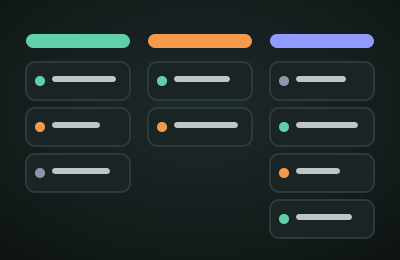
- See: a board by state and project first, because it works at phone width; then a 2D map where each project is a region and each thread a dot, coloured by state and sized by recent activity, laid out automatically and draggable. A 3D view is possible later once the 2D map shows what is missing.
- Honest limit: a conversation can only be listed as open if something reports it (an interface, a command-line hook, a browser extension). Chats on claude.ai have no documented list, so they show up when filed or imported and are marked stale when nothing has touched them.
- Sync: local first, so it works offline, with a small private server holding the shared copy. Because every change is a logged event, two devices can be merged without losing either one's work. The code lives in the public toolbox, but real notes and threads live only in a private home behind a login.
Suggestions
- Make the project the unit, and repositories its keys. Most filing then needs no judgement: this repo, that project.
- Filing rules run in a fixed order and never override a hand decision: title tag, then repository, then keywords, then ask. Each suggestion shows why it was made.
- One required habit: a next action. When you leave a thread, write one line saying what is left, or clear it. That single field is what makes "done", "parked" and "archive" trustworthy.
- A weekly sweep screen: inbox items older than two days, active threads that have been silent for a week, waiting threads past their date, finished threads not yet archived, threads with no next action. Each row has a one-click action and batch select.
- Archiving happens in two places. Claude has no documented way for another tool to archive a chat, so Docket's "archived" is its own state and the sweep gives a checklist with a link to do it in the app.
- Ask for the handoff note at the end of a session, so a parked thread can be resumed by a person or an agent without rereading it.
- Keep the data light and local. Titles, links, one-liners. Backup and restore like every other tool here. Nothing is sent anywhere unless a piece you turn on needs to.
- Cost per project later. TokenEcon knows how much of each allowance is being used. Joining that to Docket would show which projects are spending it.
Other things like this
Claude's own Projects group chats, but only inside claude.ai and with no notion of done. Claude Code can resume sessions, listed per folder. Task trackers such as Linear or a Notion database are good at status but know nothing about the chats behind it. Hermes Agent, an open-source agent from Nous Research, remembers across sessions and can search its own past conversations, which solves the agent forgetting rather than the person losing track of which chat is for what; it could be one more source of threads. The gap Docket aims at is a ledger that spans all of them, with a lifecycle per chat.
How it will be built, one slice at a time
- Slice 1, filing by hand: paste a Claude chat or Claude Code address, file it, see it on the board and the 2D map, capture notes, launch them. (The mock-up covers this.)
- Slice 2, the private home and real sync between computer and phone, built to the rules the Sync lab shows.
- Slice 3, Docker CLI: a container image for Claude Code that reports its sessions, so each machine and container shows up on its own.
- Slice 4, a Chrome extension that files the current Claude chat or Claude Code session and imports what is open.
- Slice 5, opening conversations from Docket by starting the sandbox for them.
- Slice 6, joins: cost per project from TokenEcon, an agent-sessions view for Telltale, handoff notes drafted at the end of a session. A 3D map is shelved.
Current state
An early mock-up (v0.1) you can open right now. It has a board, a notes tray, a 2D map, a sweep list, backup and restore, and it installs on a phone. It starts with sample data (clearly marked, removable in one click) and saves only in this browser. The Sync lab is a simulation with pretend devices that shows how sync will be kept safe from a laptop waking up with an old copy; it sends nothing anywhere and never touches your saved chats. Real sync, Docker reporting and the Chrome extension are later slices.
Changelog
- v0 (2026-11-13) — written down.
- v0 (2026-11-15) — scope widened: capture, launch, board and map, sync.
- v0.1 (2026-11-15) — first mock-up: board, notes, 2D map, sweep, Sync lab simulation, backup, installable.
Sources: Hermes Agent overview, Hermes Agent memory and session search, Claude Code hook inputs.